HomeStore
Media Composer Ultimate 3Y Subscription RENEW: Media Composer Ultimate 3-Year Subscription Renewal – Professional Audio Software & Plugin
Media Composer Ultimate 3Y Subscription RENEW: Media Composer Ultimate 3-Year Subscription Renewal – Professional Audio Software & Plugin
Import + Manage
Work with any type of mediaList:
- Import and edit footage from any camera no matter the format codec or resolution. From HD and UHD to HDR 8K and beyond experience smooth frame-accurate playback—even when mixing different types of video audio images and frame rates. High-res high efficiency
- With the new Avid Media Engine you can work with high-res HDR and proxy media more easily. Avid DNxHR and OpenEXR support eliminate bottlenecks so you can work with a massive amount of media and quickly relink proxies to the original files with ease. Track media with confidence
- Media Composer keeps track of all projects source material rendered files metadata and other media so you’ll never lose sight of your assets. Your project media will always be linked—even as projects move and evolve over the years. Organize and find files fast
- With new bin containers and mapping you can organize and group content any way you want. Find footage in seconds searching for clips and takes based on the dialogue they contain with the PhraseFind and ScriptSync options.
- The majority of all films and TV shows are edited on Media Composer. That’s because it makes the creative process fast easy and gratifying. From fluid timeline editing to the precision toolset you can navigate and cut sequences more intuitively and tell better stories. Boost your creative flow
- Work the way you want to work with a modern interface that makes editing easier and more fluid. Task-oriented workspaces—Edit Color Audio and Effects—provide just the tools you need. You can even resize rearrange and hide panels. Accelerate multicam editing
- Show every angle of your story with ease with the Emmy Award-winning multicamera editing toolset. Sync up to 64 different angles automatically—even with different formats and frames—so you can immediately edit and align shots as needed. Design stunning visuals
- Add dramatic flair to your stories with built-in VFX filters and titles. Take your creative vision further with more video plugins and advanced tools to create composites motion effects transitions graphics and animation.
- Whether you do all color correction grading and audio mixing in Media Composer or roundtrip out to other applications you can be confident that your work will accurately hit every delivery specification. Total color precision
- Media Composer future-proofs your content with its 32-bit floating point color pipeline and ACES color support ensuring consistent color accuracy from end to end. The Symphony Option offers advanced color grading tools and IMF packaging so you can easily deliver to Netflix and other OTT specifications with confidence. Produce dramatic HDR imagery
- Tell stories that showcase true-to-life image quality with effortless HDR workflows. Import edit color grade and deliver incredibly realistic imagery with exceptional detail in the shadows and highlights. Create studio-quality soundtracks
- Make your story sound as good as it looks with a suite of audio tools and plugins. Create up to 64 tracks of dialogue music and sound effects in 7.1 surround. Or send all tracks and effects to Pro Tools for audio post—without having to transcode sequences first.
- New speech-to-text transcription tools
- Avid Huddle support for all versions of Media Composer
- More open than ever to third-party integration
- Improved Media Composer and Pro Tools interoperability
Edit + VFX
Edit with Oscar- and Emmy-winning toolsColor + Deliver
Finish in the box—or outDo more stress less
The next-generation Avid Media Engine gives you more power and speed so you can stay focused on what matters most—your story.Get rewarded
Whether you’re a new or longtime Media Composer user get additional partner software (worth more than $700 USD) on us.GET WORKFLOWS THAT WORK - PRODUCTION TEAMS
Experience the collaborative efficient workflows top video professionals rely on.Accelerate your edit
Boost your Media Composer capabilities with advanced tools for color and news workflows.Media Composer 2024.6
Features:
- Best-in-class Trim tools Smart Tools Create sequence based on selection Script-based editing Auto-Sequence
- Group Clips MultiGroup 4-Way Split Display 9-Way Split Display MultiCam Editing mode MultiCam Accelerator keys Swap Banks Previous/Next in Group Group by Audio Waveforms Edit Groups Mixed Rate Groups
- Video effects: Full core set Source Side Motion Effects TimeWarp TimeWarp Fluid Motion Stabilize
- FrameFlex
- Timecode tool
- Sequence Map
- Bulk Edit
- List tool
- Film workflows
- Stereoscopic 3D
- Color Correction: CC Effect Predefined CC Effects HSL Controls Hue Offsets Luma Range Curves Color Info Channels (Secondary and Relationships available through the Symphony Option)
- Audio editing and mixing: Audio Tool Audio Ducking Audio Punch-in Audio Subframe Slip Audio Grouping Read Audio Timecode Audio MultiMix Change Sample Rate Audio Mixer
- Full core set Audio effects
- Workspaces: Edit Color Effects Audio
- Titles: Titler+ Marquee tool
- Background render transcode and consolidate
- Full User settings Multiple Users settings Site settings Project settings
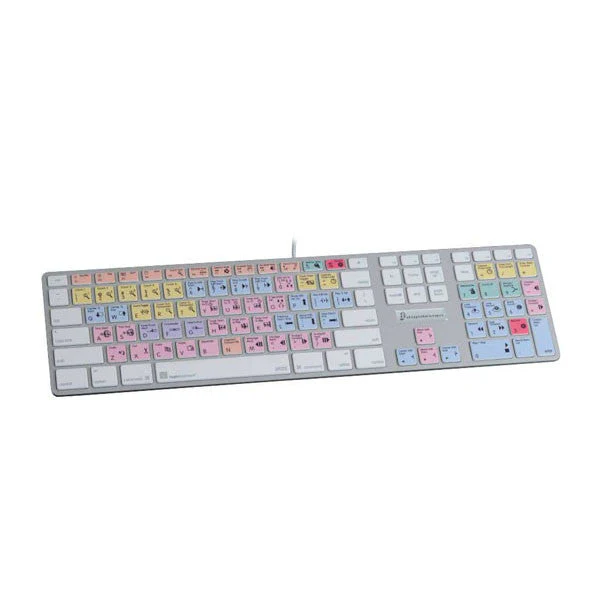
- Full Keyboard Mapping
- Source/Record color differentiation: Off by default
- Snap to Edit: Off by default
- Auto-launch Effects Editor: Off by default
- Video and audio plugin support: All AVX and AAX plugins
- Avid Marketplace
Requirements:
| Platform | CPU | RAM | Disk | Notes | Additional Requirement | Audio Card | Ports | Internet Required | 32 Bit Support | 64 Bit Support | Plugins |
| mac | 16 | 0 | 0 | 0 | 0 | ||||||
| windows | 16 | 0 | 0 | 0 | 0 |
$161,651.00
Media Composer Ultimate 3Y Subscription RENEW: Media Composer Ultimate 3-Year Subscription Renewal – Professional Audio Software & Plugin—
$161,651.00

Description
Import + Manage
Work with any type of mediaList:
- Import and edit footage from any camera no matter the format codec or resolution. From HD and UHD to HDR 8K and beyond experience smooth frame-accurate playback—even when mixing different types of video audio images and frame rates. High-res high efficiency
- With the new Avid Media Engine you can work with high-res HDR and proxy media more easily. Avid DNxHR and OpenEXR support eliminate bottlenecks so you can work with a massive amount of media and quickly relink proxies to the original files with ease. Track media with confidence
- Media Composer keeps track of all projects source material rendered files metadata and other media so you’ll never lose sight of your assets. Your project media will always be linked—even as projects move and evolve over the years. Organize and find files fast
- With new bin containers and mapping you can organize and group content any way you want. Find footage in seconds searching for clips and takes based on the dialogue they contain with the PhraseFind and ScriptSync options.
- The majority of all films and TV shows are edited on Media Composer. That’s because it makes the creative process fast easy and gratifying. From fluid timeline editing to the precision toolset you can navigate and cut sequences more intuitively and tell better stories. Boost your creative flow
- Work the way you want to work with a modern interface that makes editing easier and more fluid. Task-oriented workspaces—Edit Color Audio and Effects—provide just the tools you need. You can even resize rearrange and hide panels. Accelerate multicam editing
- Show every angle of your story with ease with the Emmy Award-winning multicamera editing toolset. Sync up to 64 different angles automatically—even with different formats and frames—so you can immediately edit and align shots as needed. Design stunning visuals
- Add dramatic flair to your stories with built-in VFX filters and titles. Take your creative vision further with more video plugins and advanced tools to create composites motion effects transitions graphics and animation.
- Whether you do all color correction grading and audio mixing in Media Composer or roundtrip out to other applications you can be confident that your work will accurately hit every delivery specification. Total color precision
- Media Composer future-proofs your content with its 32-bit floating point color pipeline and ACES color support ensuring consistent color accuracy from end to end. The Symphony Option offers advanced color grading tools and IMF packaging so you can easily deliver to Netflix and other OTT specifications with confidence. Produce dramatic HDR imagery
- Tell stories that showcase true-to-life image quality with effortless HDR workflows. Import edit color grade and deliver incredibly realistic imagery with exceptional detail in the shadows and highlights. Create studio-quality soundtracks
- Make your story sound as good as it looks with a suite of audio tools and plugins. Create up to 64 tracks of dialogue music and sound effects in 7.1 surround. Or send all tracks and effects to Pro Tools for audio post—without having to transcode sequences first.
- New speech-to-text transcription tools
- Avid Huddle support for all versions of Media Composer
- More open than ever to third-party integration
- Improved Media Composer and Pro Tools interoperability
Edit + VFX
Edit with Oscar- and Emmy-winning toolsColor + Deliver
Finish in the box—or outDo more stress less
The next-generation Avid Media Engine gives you more power and speed so you can stay focused on what matters most—your story.Get rewarded
Whether you’re a new or longtime Media Composer user get additional partner software (worth more than $700 USD) on us.GET WORKFLOWS THAT WORK - PRODUCTION TEAMS
Experience the collaborative efficient workflows top video professionals rely on.Accelerate your edit
Boost your Media Composer capabilities with advanced tools for color and news workflows.Media Composer 2024.6
Features:
- Best-in-class Trim tools Smart Tools Create sequence based on selection Script-based editing Auto-Sequence
- Group Clips MultiGroup 4-Way Split Display 9-Way Split Display MultiCam Editing mode MultiCam Accelerator keys Swap Banks Previous/Next in Group Group by Audio Waveforms Edit Groups Mixed Rate Groups
- Video effects: Full core set Source Side Motion Effects TimeWarp TimeWarp Fluid Motion Stabilize
- FrameFlex
- Timecode tool
- Sequence Map
- Bulk Edit
- List tool
- Film workflows
- Stereoscopic 3D
- Color Correction: CC Effect Predefined CC Effects HSL Controls Hue Offsets Luma Range Curves Color Info Channels (Secondary and Relationships available through the Symphony Option)
- Audio editing and mixing: Audio Tool Audio Ducking Audio Punch-in Audio Subframe Slip Audio Grouping Read Audio Timecode Audio MultiMix Change Sample Rate Audio Mixer
- Full core set Audio effects
- Workspaces: Edit Color Effects Audio
- Titles: Titler+ Marquee tool
- Background render transcode and consolidate
- Full User settings Multiple Users settings Site settings Project settings
- Full Keyboard Mapping
- Source/Record color differentiation: Off by default
- Snap to Edit: Off by default
- Auto-launch Effects Editor: Off by default
- Video and audio plugin support: All AVX and AAX plugins
- Avid Marketplace
Requirements:
| Platform | CPU | RAM | Disk | Notes | Additional Requirement | Audio Card | Ports | Internet Required | 32 Bit Support | 64 Bit Support | Plugins |
| mac | 16 | 0 | 0 | 0 | 0 | ||||||
| windows | 16 | 0 | 0 | 0 | 0 |