Acon Equalize 2 Parametric Equalizer – Professional Audio Software & Plugin
Acon Digital Equalize is a parametric equalizer plug-in that combines unique features with excellent workflow and an intuitive user interface. Unlike other equalizers
you can freely adjust not only center frequency
gain and bandwidths
but also the filter slope for each band. The filter slope can be set anywhere from 3 dB to ultra-sharp 120 dB per octave. Needless to say
you can operate Equalize as a zero latency plug-in when using the minimum phase mode or choose to preserve the phase relationships in the linear phase mode. Equalize goes one step further
though
and introduces the unique mixed phase mode that allows you to set the latency freely in the range 5 to 120 milliseconds while preserving the phase relationships as far as possible. That gives a unique control over potential pre-ringing artifacts which is a common problem with linear phase filtering. Latency values below 20 milliseconds ensure that any pre-ringing is masked by the temporal masking of the human hearing while preserving the time-alignment across the audible frequency range.
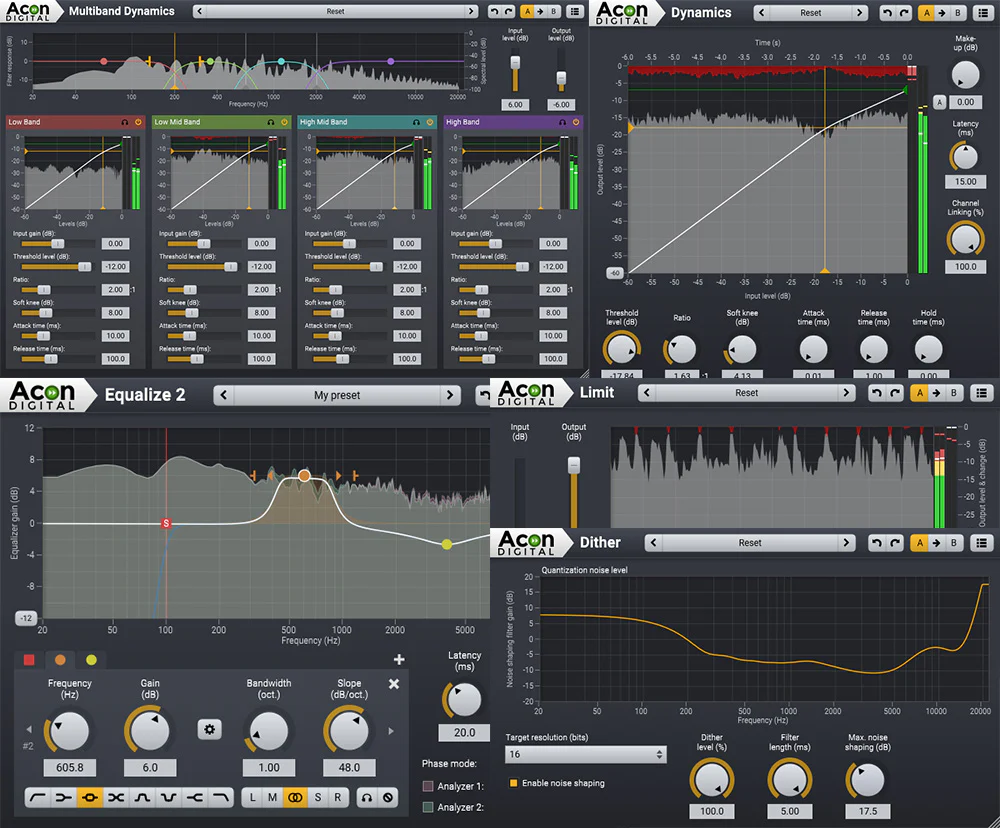
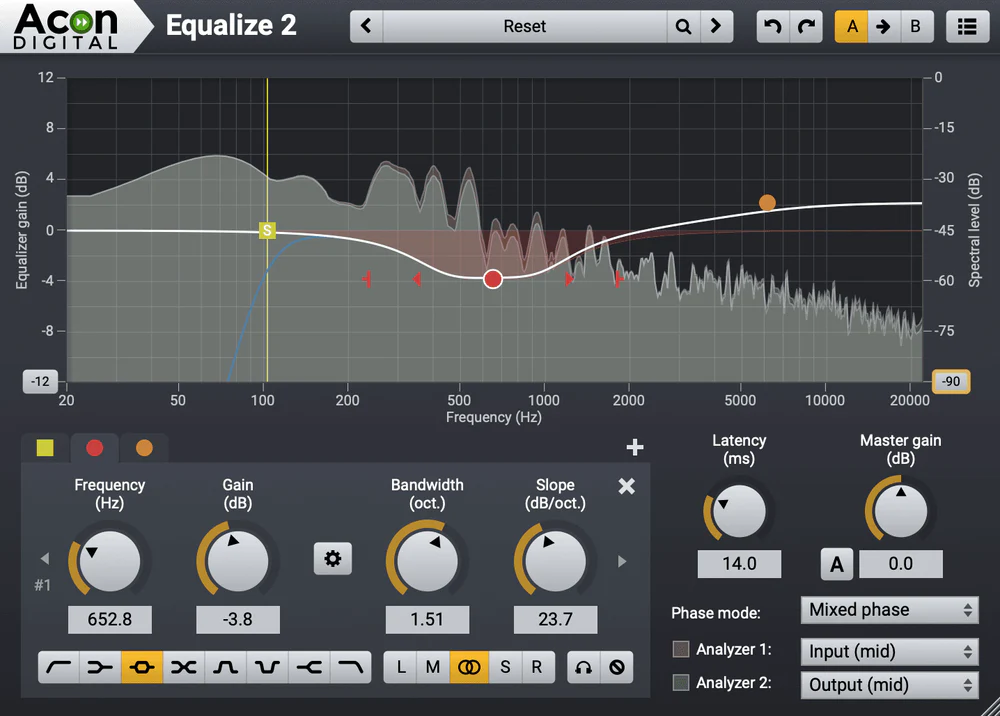
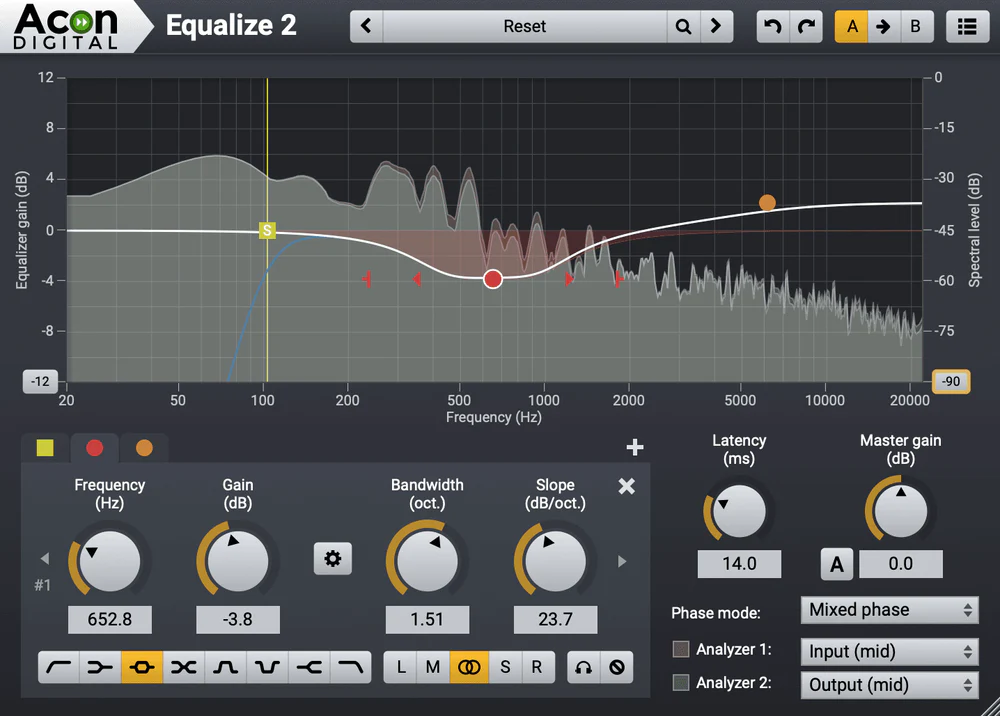
Great care has been taken to provide a user interface that is straight forward to use. Band parameters can be adjusted using handles directly in the graphical representation of the frequency response
including bandwidths and filter slopes. A flexible real-time analyzer lets you monitor every aspect of the processing. You can easily switch between full
mid
side
left or right channel processing for each band and Equalize automatically routes the audio signal internally to ensure the best results and lowest possible latency.
Highlights
List:
- Eight different band filter types — low cut low shelf peak tilt bandpass notch high shelf and high cut
- Up to twelve independent bands
- Freely adjustable gain frequency bandwidth resonance and filter slope
- Three different phase modes including the novel mixed phase mode with adjustable latency
- Choose channel mode for each band independently (mid side left right or full processing) Acon Digital Equalize 2 is available as VST VST3 or AAX for both Windows and Mac or as AU plug-ins for Mac. There are 32 and 64 bit versions for Windows. The Mac version is 64 bit and runs natively on both ARM (such as Apple M1) and Intel processors.
- Two new filter types — tilt and bandpass filters
- Adjustable frequency range in the equalizer curve editor
- Optional piano keyboard display
- EUCON and full Pro Tools HW controller support
- New preferences page with spectrum analyzer tooltip language and piano roll settings
- Spectrum analyzer with adjustable frequency tilt
New in Version 2
The new version of Equalize includes two new filter types – tilt and bandpass. It now offers a total of eight different filter types. Just like the previously available filters both the tilt and bandpass filters offer the unique continuously adjustable filter slopes in the range 3 to 120 dB per octave. The frequency range of the equalizer curve can now be altered conveniently by dragging the edges of the frequency axis or moved by clicking and dragging the center. This makes it possible to zoom in on specific frequency ranges for more precise control. A new preferences page offer user settings such as analyzer resolution and user interface language. Another new feature is the optional piano keyboard display above the frequency axis. Band frequencies can easily be set to match a tone’s frequency by clicking the key on the piano keyboard.New Features at a Glance
Features:
- Available as VST VST3 or AAX plug-ins on PC (Windows)
- Available as VST VST3 AAX or AU plug-ins on Apple Macintosh (OS X)
- Native 32 bit or 64 bit versions of all plug-ins are available
- Supports sampling rates up to 96 kHz
- Supports multi-channel formats such as 5.1 and 7.1 surround
- Up to twelve equalizer bands
- Eight different band filter types (low cut low shelf peak tilt bandpass notch high shelf and high cut)
- Band frequency gain bandwidth resonance and filter slope is freely adjustable for each band
- Three different filter modes minimum phase linear phase or the novel mixed phase
- Adjustable latency and pre-ringing time in mixed phase mode
- Zero latency in minimum phase mode
- Channel mode (mid side left right or full processing) can be set independently for each band
- Multiple selection of bands
- Resizable graphical user interface
- Solo and bypass modes
- Optional automatic make-up gain
- Optional gain to bandwidth linking
- Two spectrum analyzers that can analyze the input or output signal from the mid side left or right channel
- Graphical visualization of the equalizer frequency response
- Preset manager and a large number of factory presets
- Save load and categorize user presets
Requirements:
| Platform | CPU | RAM | Disk | Notes | Additional Requirement | Audio Card | Ports | Internet Required | 32 Bit Support | 64 Bit Support | Plugins |
| mac | Runs natively on ARM64 and Intel | 1 | 1 | A host application that is compatible with AU VST VST3 or AAX (Pro Tools 11 or higher) | 0 | 0 | 1 | VST-2 VST-3 AU AAX | |||
| windows | Intel Core i3 or AMD multi-core processor (Intel Core i5 or faster recommended) | 1 | 1 | A host application that is compatible with VST VST3 or AAX (Pro Tools 10.3.5 or higher) | 0 | 1 | 1 | VST-2 VST-3 AAX |
$10,976.00
Acon Equalize 2 Parametric Equalizer – Professional Audio Software & Plugin—
$10,976.00
Description
Acon Digital Equalize is a parametric equalizer plug-in that combines unique features with excellent workflow and an intuitive user interface. Unlike other equalizers
you can freely adjust not only center frequency
gain and bandwidths
but also the filter slope for each band. The filter slope can be set anywhere from 3 dB to ultra-sharp 120 dB per octave. Needless to say
you can operate Equalize as a zero latency plug-in when using the minimum phase mode or choose to preserve the phase relationships in the linear phase mode. Equalize goes one step further
though
and introduces the unique mixed phase mode that allows you to set the latency freely in the range 5 to 120 milliseconds while preserving the phase relationships as far as possible. That gives a unique control over potential pre-ringing artifacts which is a common problem with linear phase filtering. Latency values below 20 milliseconds ensure that any pre-ringing is masked by the temporal masking of the human hearing while preserving the time-alignment across the audible frequency range.
Great care has been taken to provide a user interface that is straight forward to use. Band parameters can be adjusted using handles directly in the graphical representation of the frequency response
including bandwidths and filter slopes. A flexible real-time analyzer lets you monitor every aspect of the processing. You can easily switch between full
mid
side
left or right channel processing for each band and Equalize automatically routes the audio signal internally to ensure the best results and lowest possible latency.
Highlights
List:
- Eight different band filter types — low cut low shelf peak tilt bandpass notch high shelf and high cut
- Up to twelve independent bands
- Freely adjustable gain frequency bandwidth resonance and filter slope
- Three different phase modes including the novel mixed phase mode with adjustable latency
- Choose channel mode for each band independently (mid side left right or full processing) Acon Digital Equalize 2 is available as VST VST3 or AAX for both Windows and Mac or as AU plug-ins for Mac. There are 32 and 64 bit versions for Windows. The Mac version is 64 bit and runs natively on both ARM (such as Apple M1) and Intel processors.
- Two new filter types — tilt and bandpass filters
- Adjustable frequency range in the equalizer curve editor
- Optional piano keyboard display
- EUCON and full Pro Tools HW controller support
- New preferences page with spectrum analyzer tooltip language and piano roll settings
- Spectrum analyzer with adjustable frequency tilt
New in Version 2
The new version of Equalize includes two new filter types – tilt and bandpass. It now offers a total of eight different filter types. Just like the previously available filters both the tilt and bandpass filters offer the unique continuously adjustable filter slopes in the range 3 to 120 dB per octave. The frequency range of the equalizer curve can now be altered conveniently by dragging the edges of the frequency axis or moved by clicking and dragging the center. This makes it possible to zoom in on specific frequency ranges for more precise control. A new preferences page offer user settings such as analyzer resolution and user interface language. Another new feature is the optional piano keyboard display above the frequency axis. Band frequencies can easily be set to match a tone’s frequency by clicking the key on the piano keyboard.New Features at a Glance
Features:
- Available as VST VST3 or AAX plug-ins on PC (Windows)
- Available as VST VST3 AAX or AU plug-ins on Apple Macintosh (OS X)
- Native 32 bit or 64 bit versions of all plug-ins are available
- Supports sampling rates up to 96 kHz
- Supports multi-channel formats such as 5.1 and 7.1 surround
- Up to twelve equalizer bands
- Eight different band filter types (low cut low shelf peak tilt bandpass notch high shelf and high cut)
- Band frequency gain bandwidth resonance and filter slope is freely adjustable for each band
- Three different filter modes minimum phase linear phase or the novel mixed phase
- Adjustable latency and pre-ringing time in mixed phase mode
- Zero latency in minimum phase mode
- Channel mode (mid side left right or full processing) can be set independently for each band
- Multiple selection of bands
- Resizable graphical user interface
- Solo and bypass modes
- Optional automatic make-up gain
- Optional gain to bandwidth linking
- Two spectrum analyzers that can analyze the input or output signal from the mid side left or right channel
- Graphical visualization of the equalizer frequency response
- Preset manager and a large number of factory presets
- Save load and categorize user presets
Requirements:
| Platform | CPU | RAM | Disk | Notes | Additional Requirement | Audio Card | Ports | Internet Required | 32 Bit Support | 64 Bit Support | Plugins |
| mac | Runs natively on ARM64 and Intel | 1 | 1 | A host application that is compatible with AU VST VST3 or AAX (Pro Tools 11 or higher) | 0 | 0 | 1 | VST-2 VST-3 AU AAX | |||
| windows | Intel Core i3 or AMD multi-core processor (Intel Core i5 or faster recommended) | 1 | 1 | A host application that is compatible with VST VST3 or AAX (Pro Tools 10.3.5 or higher) | 0 | 1 | 1 | VST-2 VST-3 AAX |